Fisco Update: Introducing Loyalty Programs to Reward Repeat Customers
Fisco now has loyalty programs. Set earn rules, award points, and move customers through Bronze, Silver, and Gold tiers, all from the Fisco app.
Most small businesses in Nigeria do not have a customer problem. They have a repeat-customer problem.
A new buyer finds you on Instagram, orders once, and is happy with it. Then life happens. Three months later they are buying from someone else, not because you did anything wrong, but because nothing gave them a reason to come back to you.
That is the gap loyalty programs close, and today Fisco has one built in.
In this update, you will learn:
- what Fisco's loyalty program is and how it works
- how earn rules, points, and tiers fit together
- how to set up your first program in a few minutes
- ideas for rewarding customers without giving away your margin
Table of contents
- Quick answer: what is Fisco's loyalty program?
- Why a loyalty program matters for small businesses
- How Fisco loyalty programs work
- How to set up your first loyalty program
- A simple example
- Running more than one program
- Ideas for earn rules that protect your margin
- Availability and plans
- FAQs
Quick answer: what is Fisco's loyalty program?
Fisco's loyalty program lets you reward customers with points every time they buy, and move them through Bronze, Silver, and Gold tiers as their points grow. You decide the earn rules, the tier thresholds, and how many points are worth ₦1 when a customer spends them at your storefront checkout. You manage everything from the Fisco app, next to your customers, orders, and inventory.
Why a loyalty program matters for small businesses
Selling to someone who already trusts you is easier than finding a new buyer every week. You already know what they like, you already have their contact details, and they already know you deliver.
The problem is that most repeat business is left to chance. A loyalty program makes it deliberate:
- Customers have a reason to return. Points they have already earned are a small nudge to buy from you again instead of someone else.
- You can reward your best customers. Tiers give regulars a status they can see and work towards.
- You stop guessing who your best customers are. Points balances and tiers show who buys most, in the same place you manage the rest of your business.
If you want the wider playbook, our guide on how to improve customer retention for a small business in Nigeria covers follow-up, records, and repeat-sales habits that work alongside a loyalty program.
How Fisco loyalty programs work
A Fisco loyalty program has four parts.
1. A program
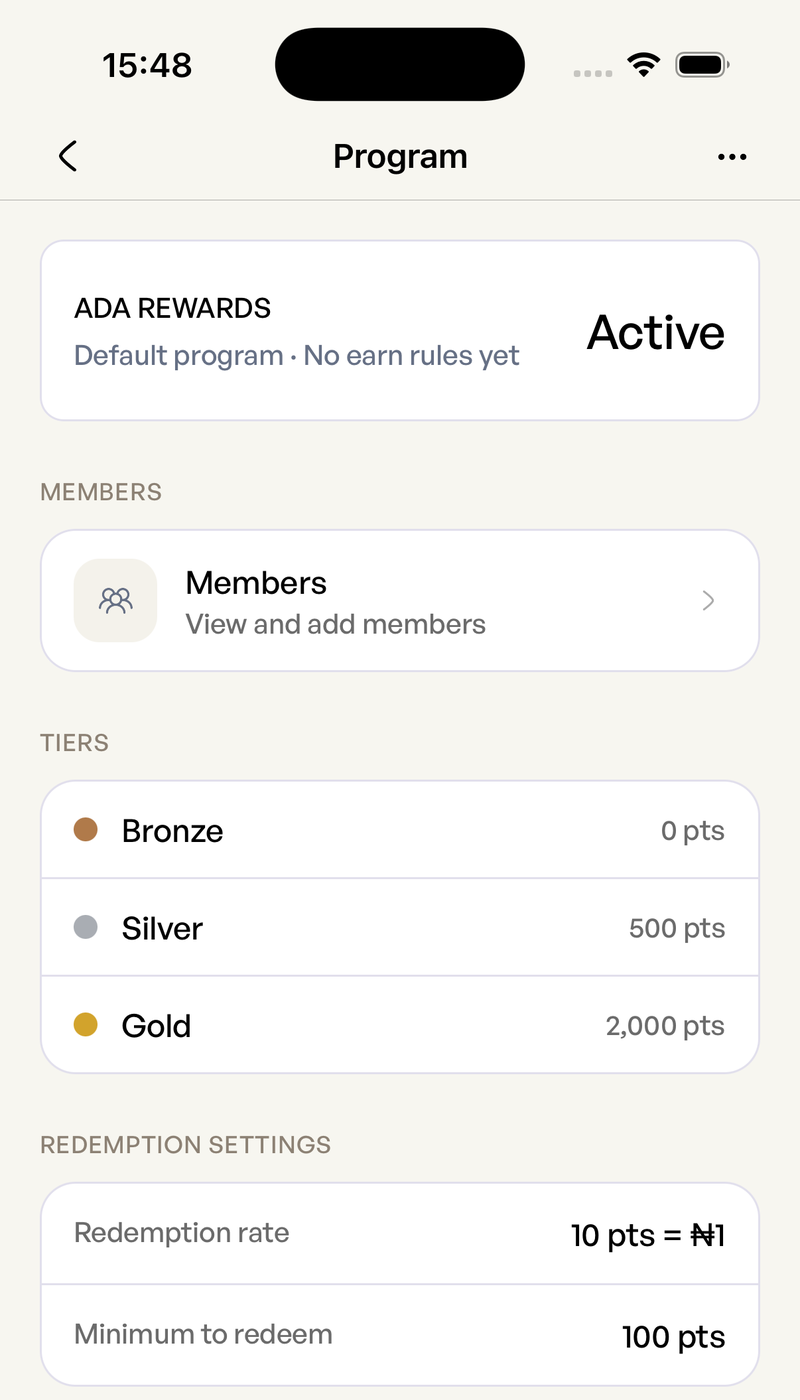
A program is the container for everything: its name (for example, "Ada Rewards"), its tiers, its redemption settings, and its earn rules. You can create one program or several.
2. Earn rules
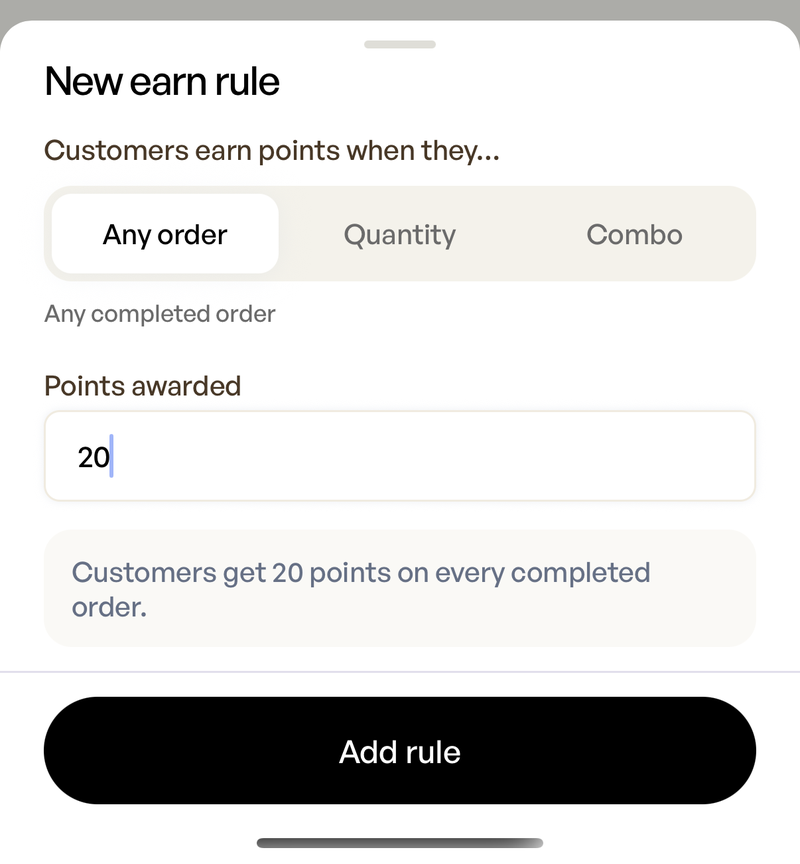
Earn rules decide how customers collect points. Each rule awards a fixed number of points that you choose. There are three kinds:
- Place an order. Any completed order earns points. This is the simplest rule and a good place to start.
- Buy enough of an item. Customers earn points when they buy at least a minimum quantity of the items you select. Useful for pushing bulk purchases of a product you want to move.
- Buy items together. Customers earn points when all the items you select are in the same order. Useful for bundles and add-ons.
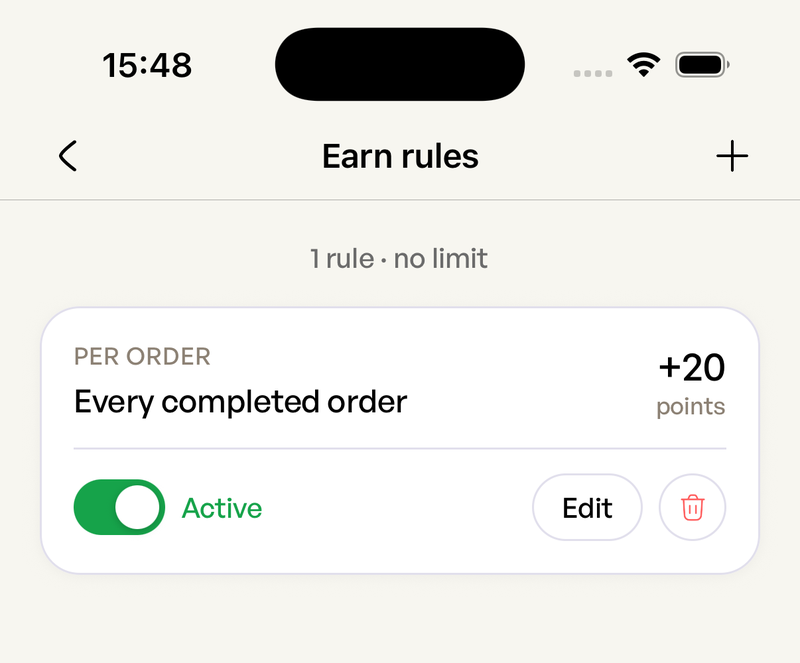
You can switch rules on and off. If you remove a rule, customers keep the points they already earned. They just stop earning from that rule going forward.
3. Tiers
Every program has three tiers: Bronze, Silver, and Gold. You set how many points a customer needs to reach each one, and each tier needs more points than the one below it.
Customers below your lowest threshold count as Bronze. If you change your thresholds later, Fisco re-tiers everyone straight away when you save, and tier emails may be sent to members who move.
4. Redemption settings
You set a redemption rate (how many points are worth ₦1, for example 10 points = ₦1) and a minimum number of points a customer needs before they can redeem. A minimum stops tiny redemptions and keeps the program meaningful.
Customers can spend their points at your storefront checkout. Redemption works at storefront checkout only, so it is a good fit for businesses that sell through their Fisco storefront.
Members
Customers become members in two ways: you can add them to a program yourself, or they join automatically when they order. For each member you can see their tier, their current points balance, and the total points they have earned over time. You can filter members by tier and by points range to find your best customers or the ones close to their next tier.
How to set up your first loyalty program
Setting up takes a few minutes.
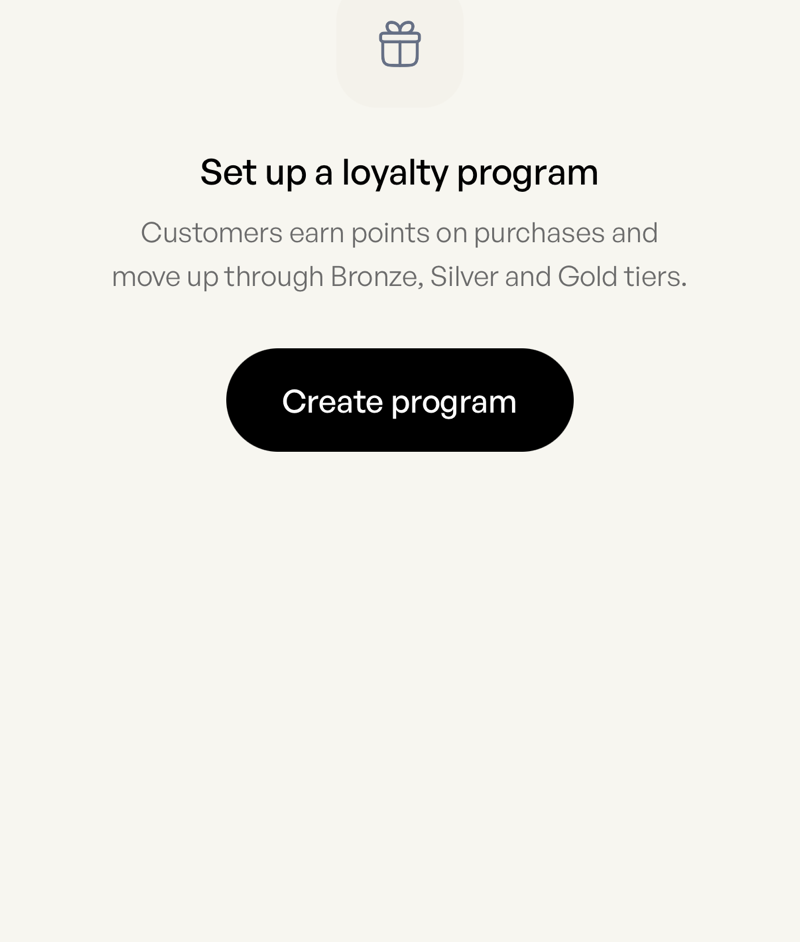
- Open Loyalty. In the Fisco app, go to More, then Loyalty. If you have no program yet, you will see "Set up a loyalty program".
- Name your program. Give it a name your customers will recognise, like "Ada Rewards".
- Set your tiers. Choose the points needed for Bronze, Silver, and Gold. Fisco starts you at 0, 500, and 2,000 points, and you can change them. Pick numbers that let customers reach Silver within a few purchases.
- Set redemption. Choose how many points equal ₦1 and the minimum points needed to redeem. The defaults are 10 points = ₦1 and a 100-point minimum.
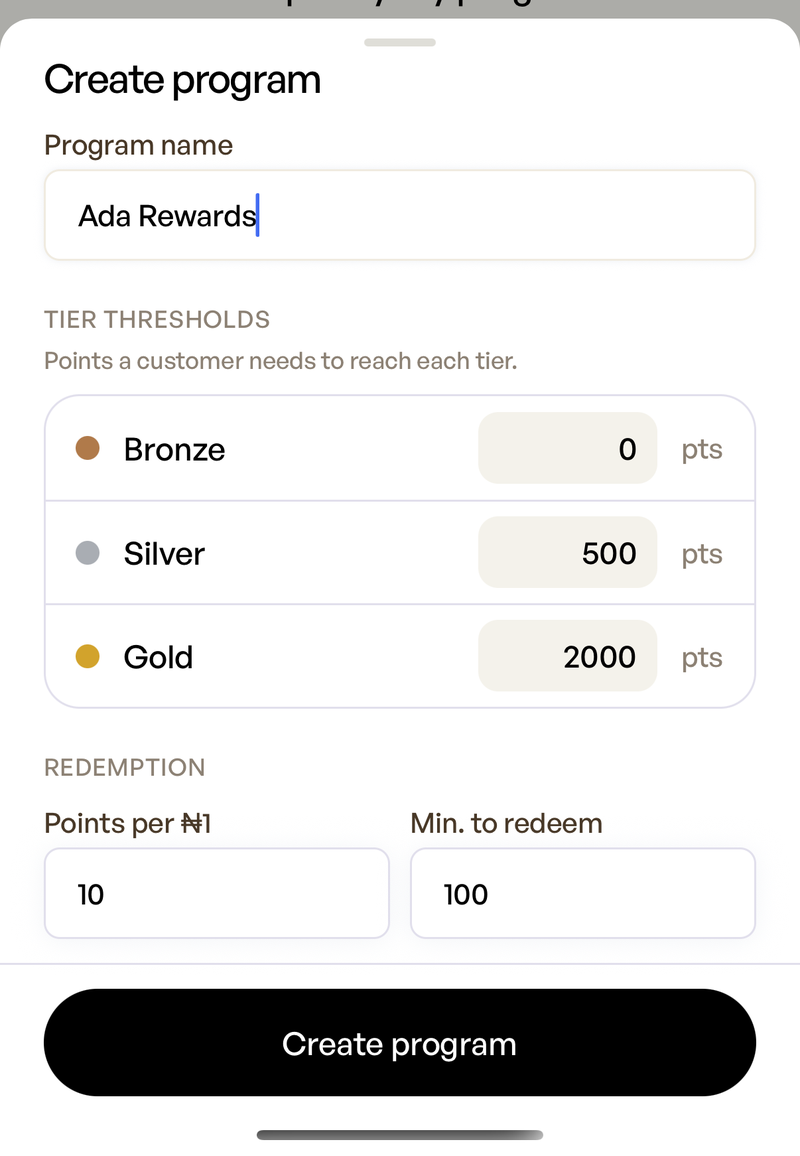
- Add earn rules. Start with one "Any order" rule, then add item-based rules for the products you want to push.
- Add customers. Add your existing customers, or let new ones join when they order. Orders from your Fisco storefront earn points in your default program.
A simple example
Here is how a small cake business could use it. The numbers below are only an illustration.
Ada runs a bakery and creates a program called "Ada Rewards".
- Tiers: Bronze at 0 points, Silver at 500, Gold at 2,000.
- Rule 1, place an order: 20 points for any order.
- Rule 2, buy enough of an item: 50 points for ordering at least three boxes of cupcakes.
- Rule 3, buy items together: 40 points when a cake and a drink bundle are in the same order.
- Redemption: 10 points = ₦1, with a 100-point minimum, spendable at her storefront checkout.
A regular who orders every week gets a steady stream of points from Rule 1, bonus points when they place bigger orders, and a visible goal in Silver and Gold. Ada can open the members list, filter by Gold, and see exactly who her best customers are.
Running more than one program
You are not limited to one program. Fisco lets you run several, which is handy if you want to test different reward structures or run a seasonal campaign.
- One default program. Orders from your storefront earn points in your default program, and you choose which program that is.
- Pause when you need to. Pausing a program stops customers from earning, joining, or redeeming in it until you turn it back on.
- Programs with members cannot be deleted. If a program has members, pause it instead.
Ideas for earn rules that protect your margin
A loyalty program should grow repeat sales, not eat your profit. A few ways to keep it healthy:
- Reward behaviour, not just spend. Points for ordering again, or for bundles, encourage the habits that make you money.
- Use item rules for high-margin products. If one product has a better margin or is overstocked, put the bonus points there.
- Keep the redemption value modest. Set the redemption rate so that a reward costs you less than the extra sales it brings in.
- Start simple. One "Place an order" rule and clear tiers are easier to explain to customers than five rules.
Planning a sale or a seasonal campaign? Read how to price and run discounts in Nigeria without losing profit before you set your rewards.
After a customer buys, a good follow-up message makes the points feel real. Our guide on how to follow up with customers after a sale has ideas you can use. And because loyalty works best on clean data, it helps to keep your customer records organised.
Availability and plans
Loyalty programs are available on Starter, Pro, and Enterprise plans. The number of earn rules you can run grows with your plan, and you can see your limit on the rules screen inside the app. See the pricing page for what each plan includes.
What is next
This is the first release of loyalty in Fisco. Customers earn points, climb tiers, and can spend points at your storefront checkout. We will keep improving it based on how businesses use it, so if you have ideas for rewards, rules, or tiers, tell us.
If you are not using Fisco yet, you can start with the free Starter plan and set up your first program today.
FAQs
What is a loyalty program for a small business?
A loyalty program rewards customers for buying from you repeatedly, usually with points that build up into rewards or status. It gives customers a reason to return to your business instead of a competitor, and it helps you see who your best customers are.
How does Fisco's loyalty program work?
You create a program, set earn rules that award points, set Bronze, Silver, and Gold tier thresholds, and choose a redemption rate and minimum. Customers earn points when they order, move up tiers as their points grow, and can spend points at your storefront checkout. You manage everything from the Fisco app.
What are earn rules in Fisco?
Earn rules decide how customers collect points. Fisco supports three types: place an order (any completed order), buy enough of an item (a minimum quantity of selected items), and buy items together (all selected items in one order). Each rule awards the number of points you choose.
How do customers join a Fisco loyalty program?
You can add customers to a program yourself, or they join automatically when they order. Orders from your Fisco storefront earn points in your default program.
Can customers spend their loyalty points?
Yes, at your storefront checkout. Your redemption rate sets how many points are worth ₦1, and your minimum sets how many points a customer needs before they can start spending. Redemption works at storefront checkout only.
What are the loyalty tiers in Fisco?
Every program has three tiers: Bronze, Silver, and Gold. You set the points needed to reach each tier, and each tier needs more points than the one below it. Customers below your lowest threshold count as Bronze.
What happens if I change my tier thresholds?
When you save new thresholds, Fisco re-tiers every member straight away, and tier emails may be sent to members whose tier changes. Check your new numbers before saving.
What happens to customers' points if I delete an earn rule?
Customers keep the points they have already earned. They stop earning new points from that rule once it is removed.
Can I run more than one loyalty program in Fisco?
Yes. You can create several programs and choose one as your default. Storefront orders earn points in the default program. You can pause any program, but a program that has members cannot be deleted.
Which Fisco plans include loyalty programs?
Loyalty programs are available on the Starter, Pro, and Enterprise plans. The number of earn rules you can run depends on your plan. See the pricing page for details.
The work behind every sale
One place to keep your business moving.
Fisco brings your storefront, orders, inventory, and customer records together—so the next task always starts with the full picture.
Free to start · Web, iOS, and Android
Continue exploring