Your shop's till. Pay once. Works with no network.
Fisco Desktop is a till and stock app for your shop's computer. It keeps selling when the network drops, shows you what should be in the drawer at closing, and you pay for it once.
Pay once. It's yours.
No monthly bill, and no price that moves when the dollar does. Buy the licence once and use it on your shop computer for good.
Still sells with no network.
Every sale is saved on your own computer. When the network or the light goes, the till keeps working.
Shows where money goes.
Staff log in as themselves. Closing shows what should be in the drawer, and who moved each item of stock.
See it at work
A till that is quick to use
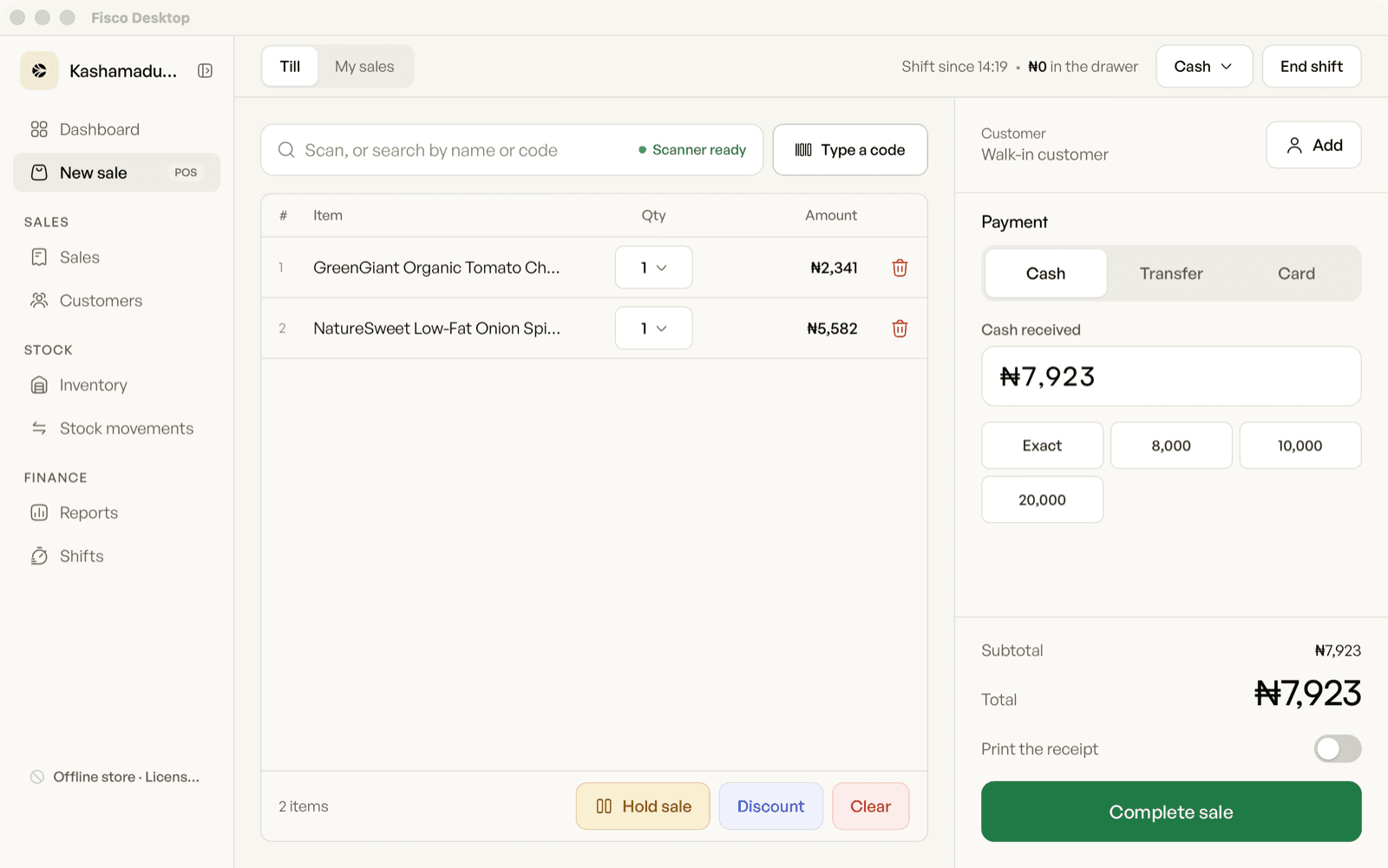
Scan a barcode or search by name or code. Take cash, transfer or card. Hold a sale while you serve the next customer.
A drawer that adds up
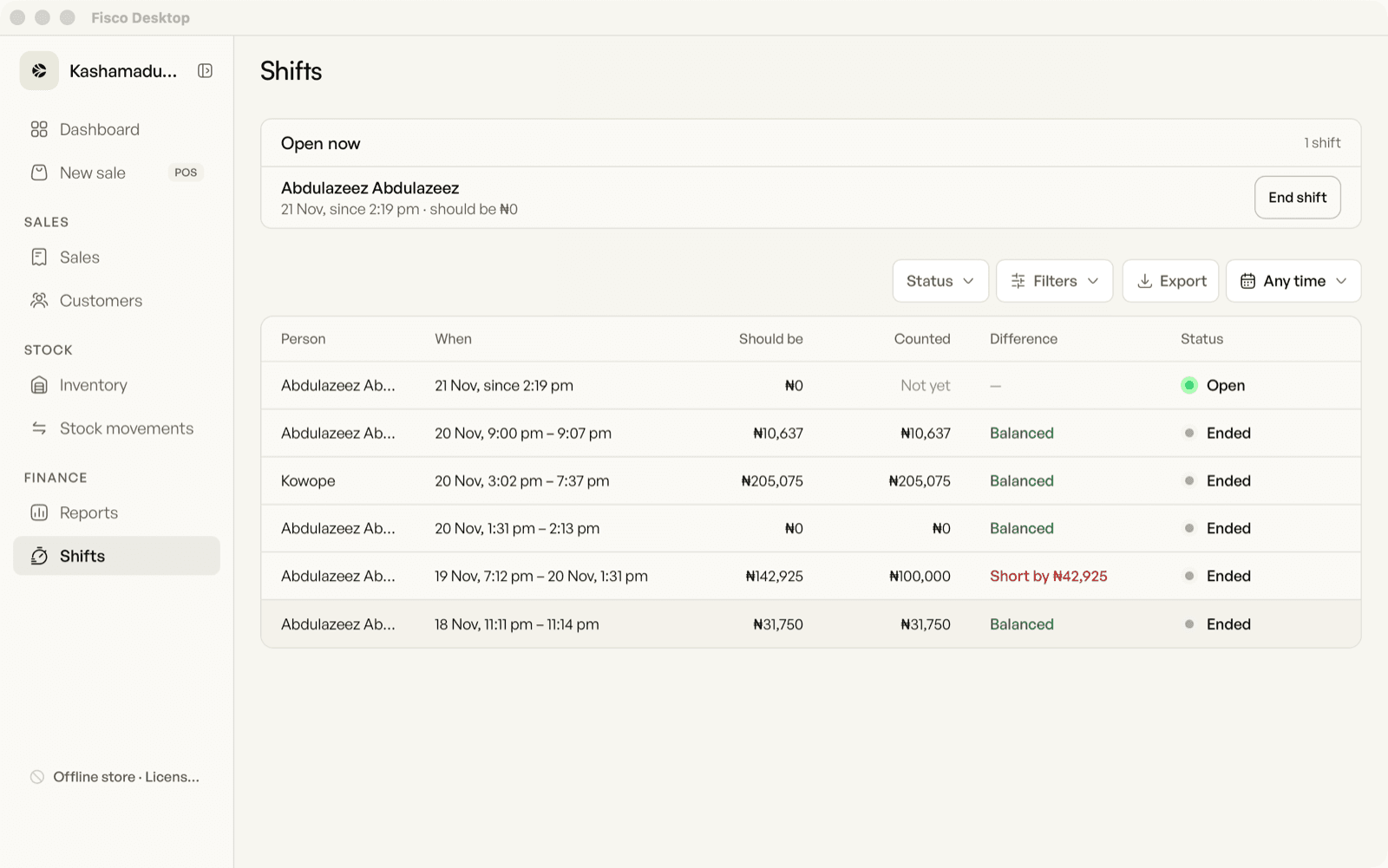
Each shift shows the cash that should be in the drawer, the cash counted, and the difference, for every cashier.
Stock you can follow
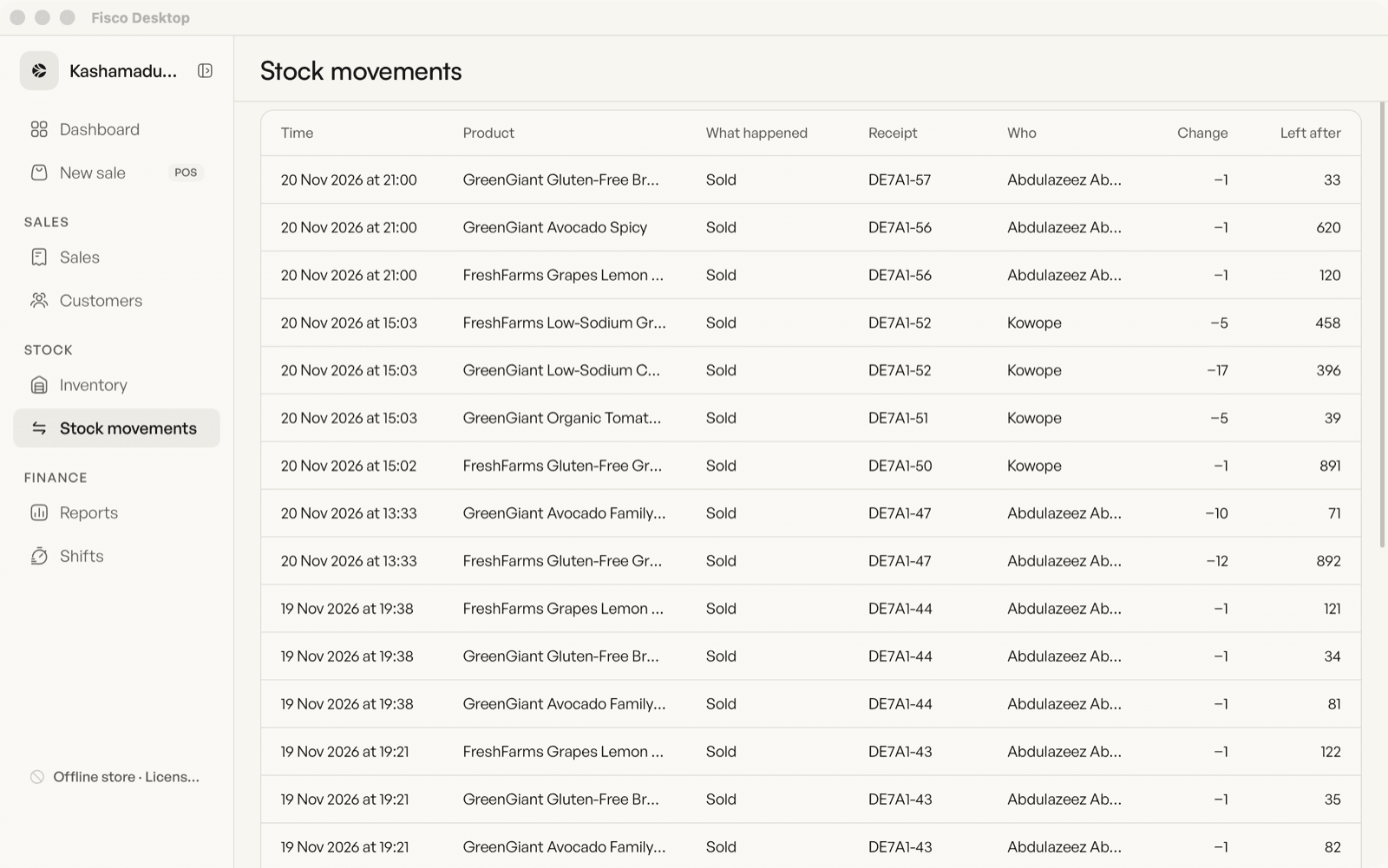
Every item in and out is recorded with the receipt and the person who moved it, so you can see where the rest went.
Everything the counter needs
- Scan a barcode or search by name or code. Take cash, transfer or card.
- Hold a sale while you serve the next customer, and print a receipt if you want one.
- Show your customer their items and total on their own screen.
- Each staff member logs in as themselves: owner, manager or cashier.
- Only a manager or the owner can approve a discount.
- Shifts show the cash that should be in the drawer and the difference at closing.
- Stock movements record every item in and out, and who moved it.
- Bring in your whole product list from a spreadsheet instead of typing it.
- Reports and exports of your sales, products and customers.
- Your data is encrypted on your computer and backed up every day to a USB stick, another drive or a cloud folder.
- Link it to a Fisco online account later to sync your branches. This is optional.
- Works with no internet. It needs the internet only to buy your licence, match transfers and sync branches.
One payment. No monthly bill.
Fisco Desktop is a lifetime licence. You pay once and it's yours on that computer. Your licence includes a set period of free updates. After that, Fisco Desktop keeps working, and renewing updates is your choice.
- We'll walk you through setting up your store.
- If you're not happy within 7 days, you get your money back.
- Our first 50 shops get the founding price, until 15 January 2027.
Get Fisco Desktop
Fisco Desktop needs a licence to open, and there is no trial. Want to see it on your own counter first? Chat with us and we'll show you.
Windows 10 or 11, or a Mac on macOS 10.15 or newer (Apple Silicon or Intel).
- Download Fisco Desktop and install it on your shop computer.
- Open it. Fisco Desktop asks for a licence before it opens. Buy one from that screen, or chat with us on WhatsApp and we'll help you pay. Your key is sent to your email.
- Enter your key. Set up your store. Book a call with us and we'll walk you through it.
Questions shop owners ask
Do I pay every month?
No. You pay once for a lifetime licence. Fisco Desktop keeps working after your free updates end, and renewing updates is your choice.
Does Fisco Desktop work without internet?
Yes. Your products, customers and sales are saved on your own computer, so you can sell with no internet. You need the internet to buy your licence (offline activation is possible with a support code), to match transfers, and to sync branches.
Which computers does it run on?
Windows 10 or 11, and Macs on macOS 10.15 or newer, both Apple Silicon and Intel. If your computer is older than that, talk to us before you buy.
How many computers does one licence cover?
Each licence covers a set number of computers. Chat with us if you need more than one counter.
What happens if my computer breaks?
Fisco Desktop backs up your data every day to the place you choose, such as a USB stick or a cloud folder. On a new computer, you restore the backup with your backup password. Chat with us about moving your licence.
Will my staff be able to use it?
Yes. We'll walk you through the till, and cashiers get their own limited access. If they can use WhatsApp, they can use Fisco Desktop.
What happens when my free updates end?
Your licence includes a set period of free updates. After that, Fisco Desktop keeps working as it is. You pay again only if you want newer versions.
What if I'm not happy with it?
Tell us within 7 days of paying and we'll refund you.
Is my data safe?
Your data is stored in an encrypted database on your computer. Backups are protected with a password that only you hold, so keep it somewhere safe.
Ready to see it in your shop?
Tell us about your shop on WhatsApp. We'll answer your questions and help you get started.
Talk to us on WhatsApp