Fisco Update: Pages and Uploads for Your Storefront
Give your storefront the finishing touches — add custom pages and upload files for your customers to download, now live on Fisco storefronts.
We just shipped two new additions to Fisco storefronts: Pages and Uploads. Together they let you give customers the context they need to buy with confidence.
A storefront that only shows products is doing half the job. Customers want to know who you are, what your policies are, and where to find the fine print before they check out. Pages and Uploads put all of that within reach.
What are Pages?
Pages are custom content sections on your storefront — the ones you write yourself, without touching code. They are perfect for:
- An About Us page that tells your story and builds trust
- A FAQ page answering the questions customers ask again and again
- A Terms of Service or Privacy Policy page so you are covered legally
- Any other page that helps customers understand your business
Think of Pages as the supporting cast for your products — they answer the questions shoppers have before they decide to buy.
What are Uploads?
Uploads let you attach files directly to your storefront, so customers can download and view them at any time. It is the easy way to share the documents behind your products:
- A size chart so shoppers order the right fit the first time
- A return policy that sets clear expectations
- Product brochures, care guides, or spec sheets
Just upload the file, give it a clear name, and it is live on your storefront. No PDF plugins, no third-party links — just a file your customers can open instantly.
How to create a page
Creating a page takes a couple of minutes. Open the Pages area of your storefront and create a new page. Give it a title customers will recognise — "About Us" beats "Page One" every time.
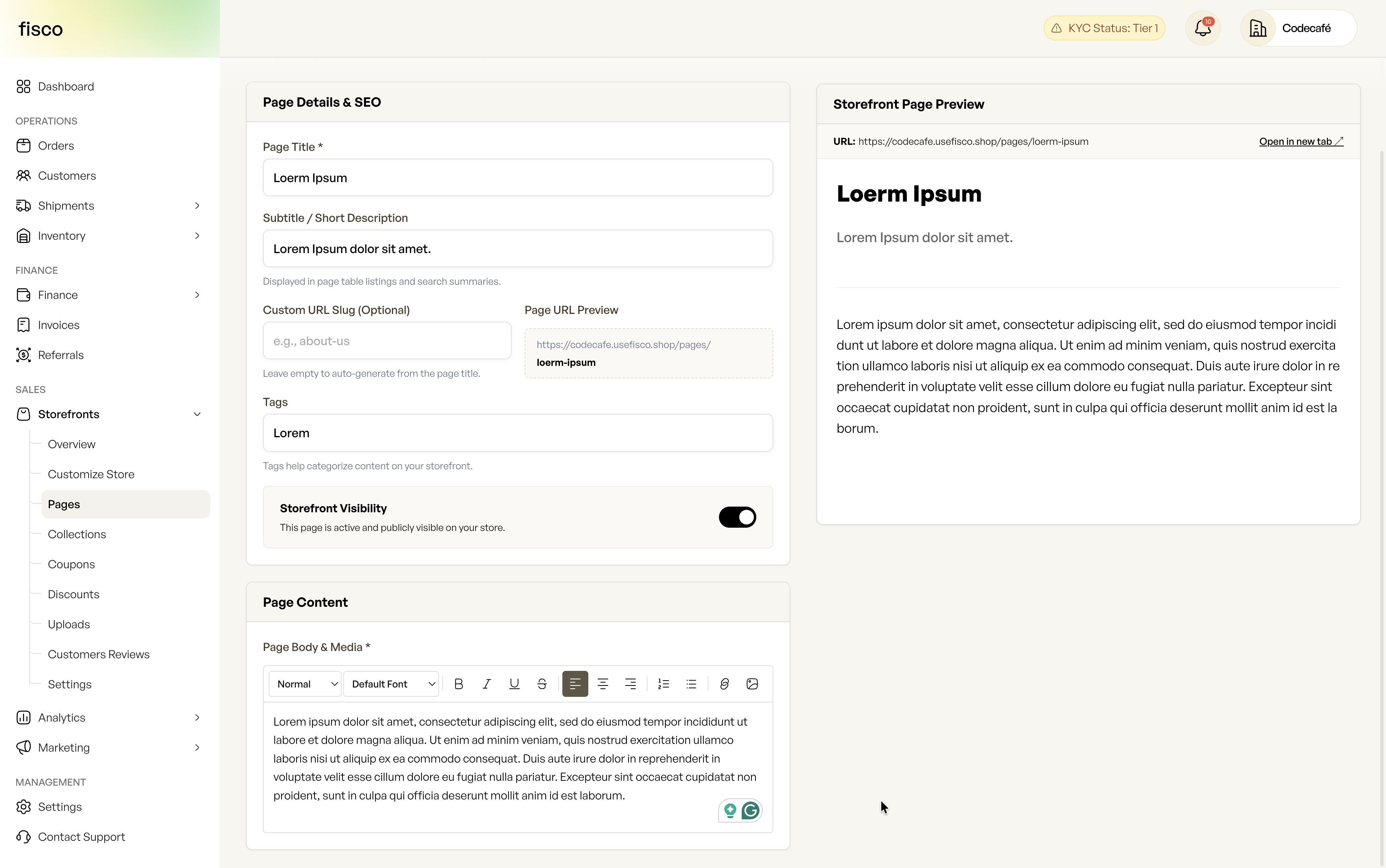
Write your content, and it appears on your storefront as a clean, dedicated page. You can create as many pages as you need, and edit or publish them whenever you like.
How to add an upload
Adding a file is even faster. Open the Uploads area, choose your file — a PDF, image, or document — and give it a name your customers will understand.
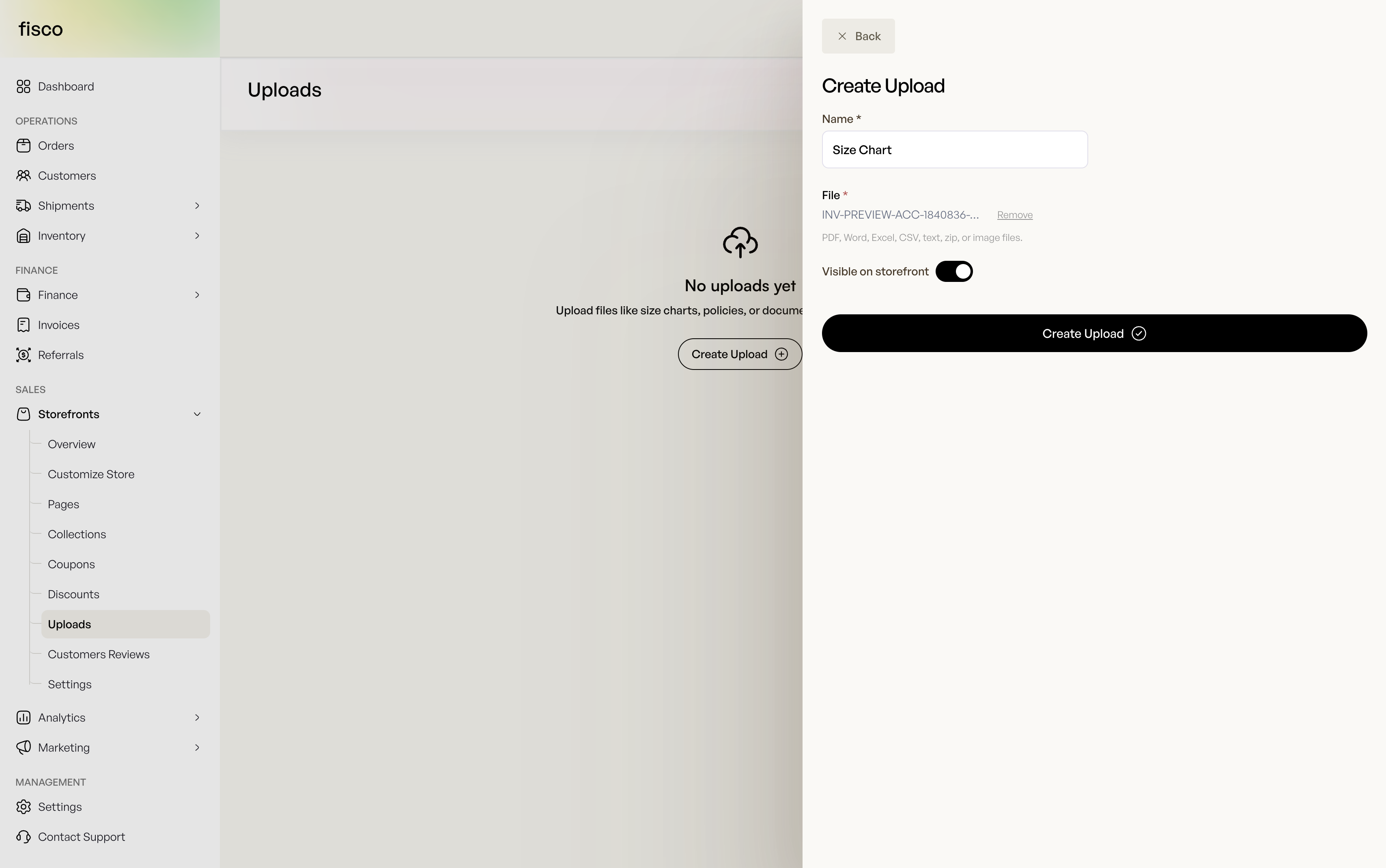
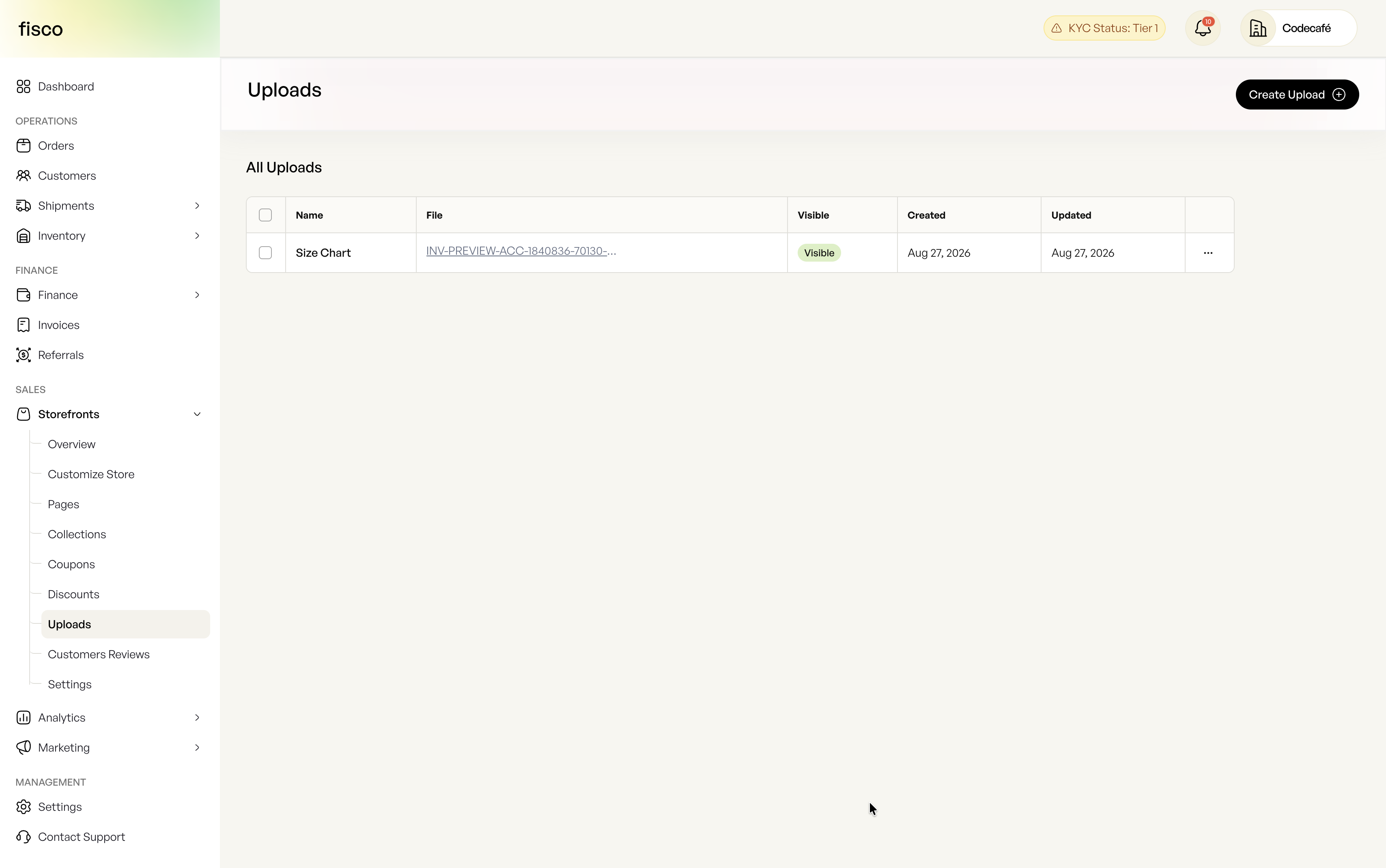
Your file is uploaded and ready to share instantly. You can show or hide it on your storefront, replace it with a newer version, or remove it entirely — all from one place.
Why this matters for your customers
Buyers are more likely to purchase when they feel informed. A storefront with clear pages and handy files answers their questions up front, so they do not have to email you — or, worse, buy from a competitor who made it easier.
Even a small storefront benefits. A size chart can cut returns. A clear return policy can be the final nudge a hesitant shopper needs. An About page turns a faceless store into a business they can trust.
What's coming next
Pages and Uploads are live now, and they are part of a wider push to make storefronts easier for your customers to browse and buy from. We are continuing to improve storefronts with new ways to organise and present your products, so stay tuned for more updates.
If you already use Fisco, open your storefront and add your first page and upload today. If you have not started yet, now is a great time.
Got feedback or an idea for Pages and Uploads you would like to see? We read everything — reach out to fisco@thecodecafe.co.
FAQs
What are Pages on a Fisco storefront?
Pages are custom, code-free content sections you create on your storefront — such as About, FAQ, Terms of Service, or Privacy Policy pages — to share information with your customers.
What file types can I upload to my storefront?
You can upload PDFs, images, and documents. Once uploaded, the file is available for customers to download directly from your storefront.
Can I hide or update an uploaded file later?
Yes. You can show or hide any upload, replace it with a newer version, or remove it entirely — all from the Uploads area of your storefront.
Do Pages and Uploads cost extra?
Pages and Uploads are available as part of your Fisco storefront. Open your storefront to add your first page and upload today.
The work behind every sale
One place to keep your business moving.
Fisco brings your storefront, orders, inventory, and customer records together—so the next task always starts with the full picture.
Free to start · Web, iOS, and Android
Continue exploring