Fisco Update: Quote-Only Services for Work You Can't Price Upfront
Not every service has a fixed price. Quote-only services on Fisco let customers ask for a price, you reply with a quote, and they pay by invoice before the work starts.
We just shipped quote-only services on Fisco. If your prices depend on the job, this one is for you.
A haircut has a price. A wedding makeup package, a three-day catering order, a custom aso-ebi set or a brand shoot usually does not. The price depends on the size of the job, the date, the location and what the customer actually wants.
Until now, you had two bad options: put a made-up price on your booking page, or leave the service off and handle every enquiry in DMs. Quote-only services give you a third one. Customers ask for a price, you send a quote, and they pay before the work starts.
What is a quote-only service?
It is a service you list on Fisco without a fixed price. Customers cannot book it directly. They send a request describing what they need, and you reply with a price that fits the job.
Some places this works well:
- A makeup artist quoting bridal parties of different sizes
- A photographer pricing an event by hours and deliverables
- A caterer pricing an order by headcount and menu
- A hairstylist or braider pricing styles by length and installation time
- A tailor pricing a custom piece once they know the fabric and finish
How it works
1. Create the service and choose "Quote only"
When you create a service, you now pick how it is priced. Choose Quote only and Fisco explains what that means: customers ask for a price and you send a quote.
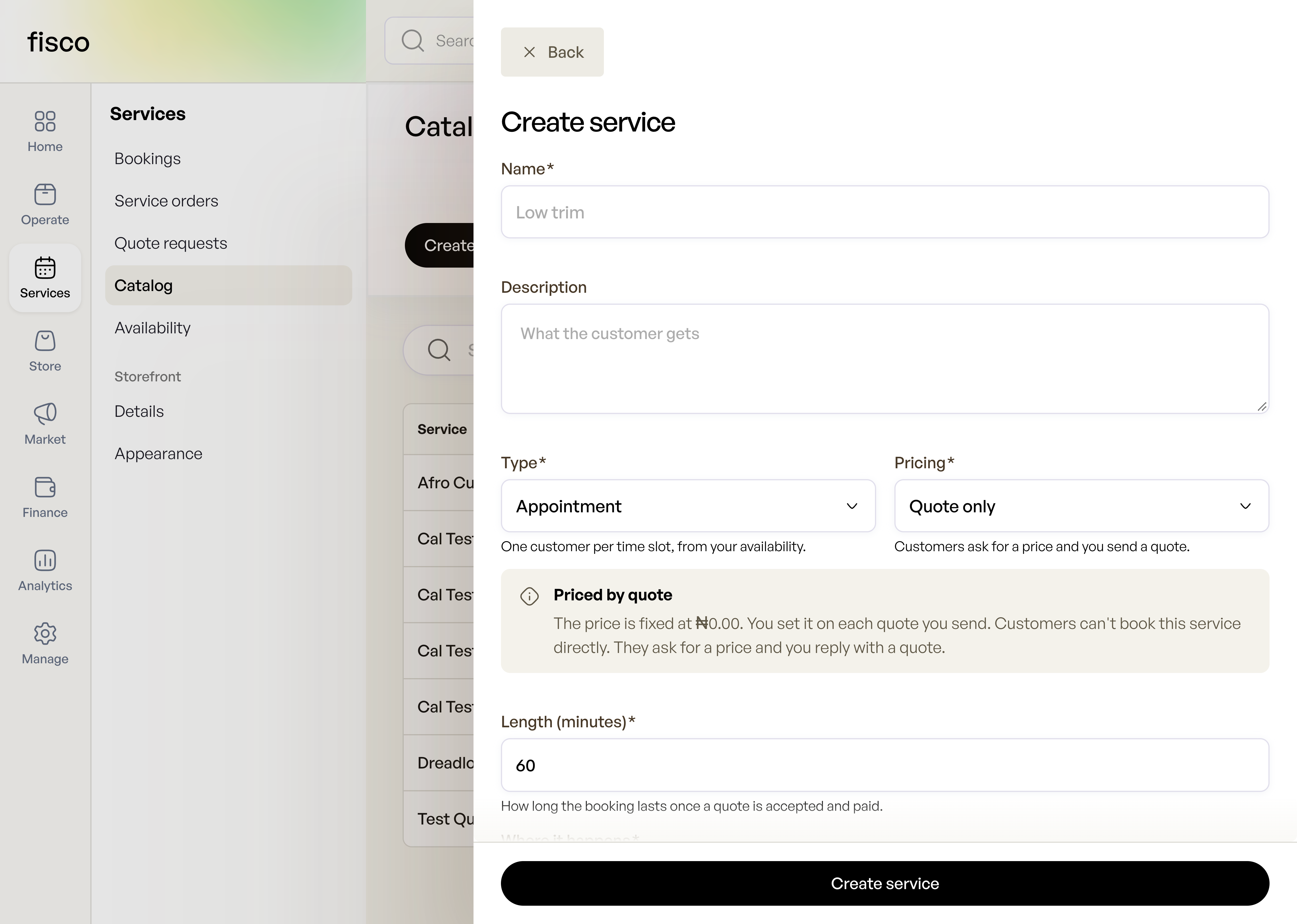
The service price is fixed at ₦0, because you set the real price on each quote. You still set the length of the booking, so once a quote is accepted and paid, the time is already accounted for.
2. Customers send a request
Instead of a "Book now" button, customers see a way to request a quote and describe what they need. Their request lands in Quote requests, under Services in your dashboard.
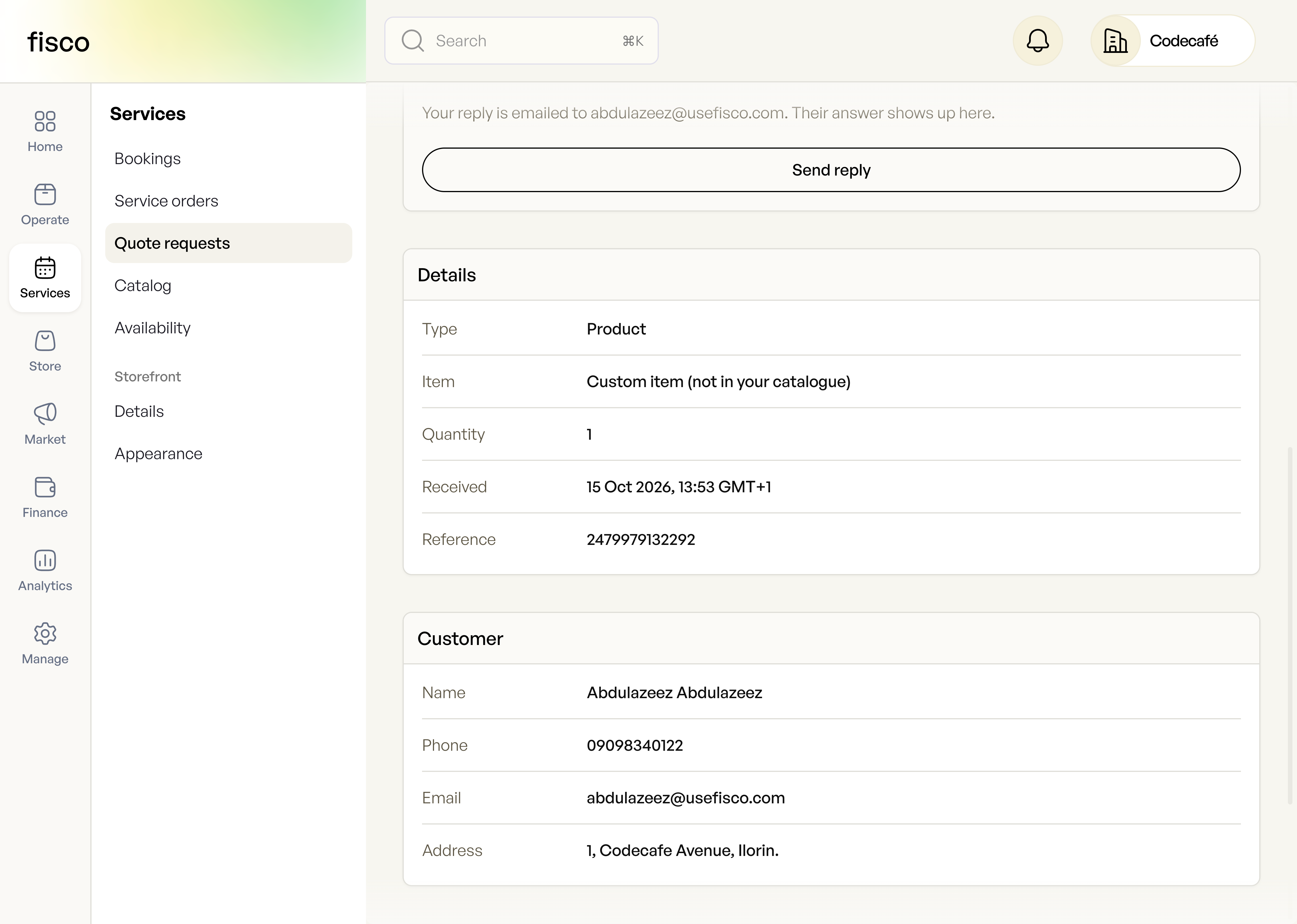
You see what they asked for, the quantity, when it came in and their contact details, all in one place.
3. Talk it through
Most quotes need a conversation. Is the venue indoors? Is the fabric yours or theirs? Which date? Reply from the request page and the message goes to the customer by email. Their answer shows up in the same thread, so the back-and-forth lives with the request instead of being scattered across WhatsApp, email and your memory.
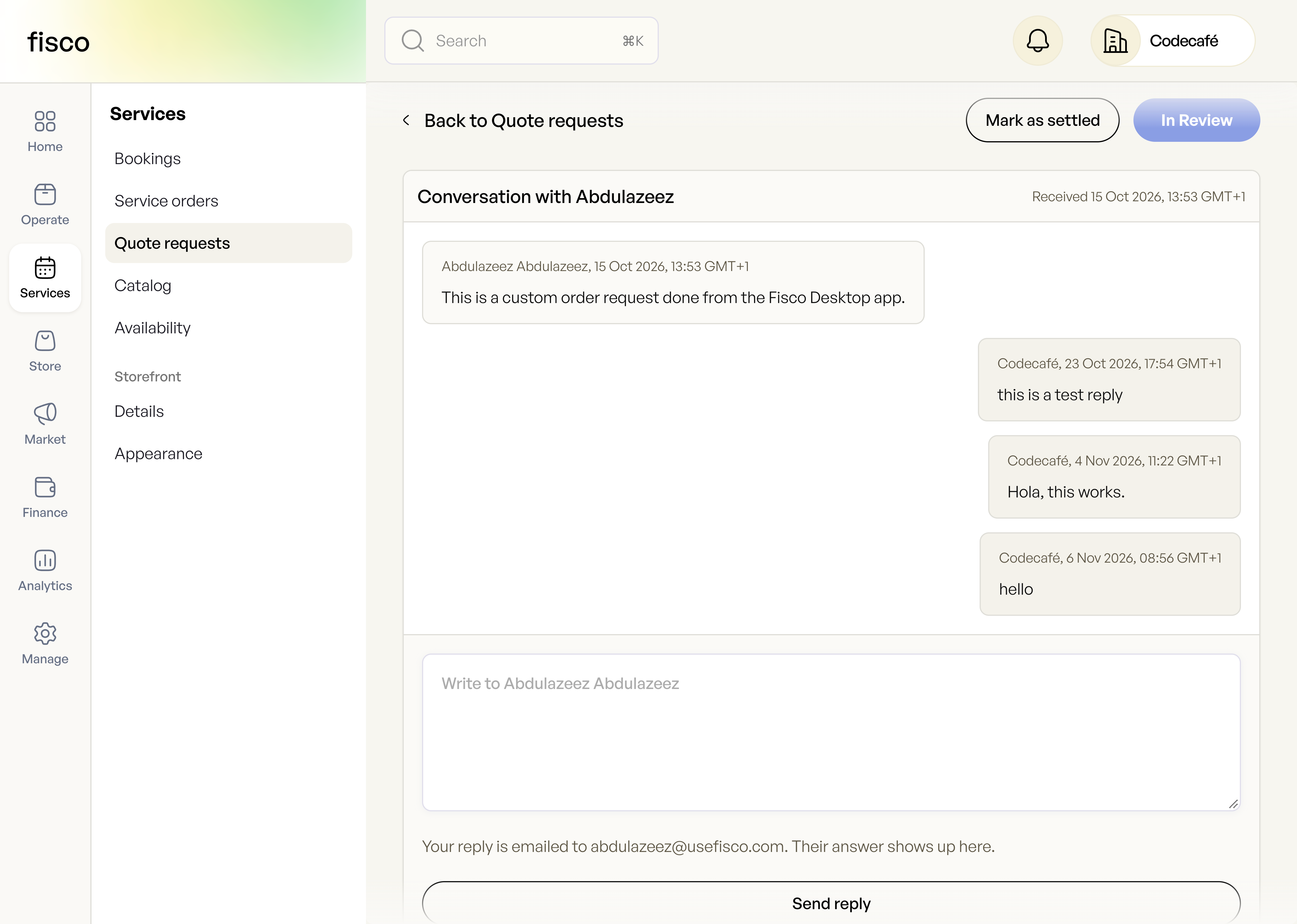
4. Send your quote as an invoice
When you know the price, send it from the same page. Add the item name, the price per unit, the quantity and a due date. The customer gets the invoice by email and pays online.
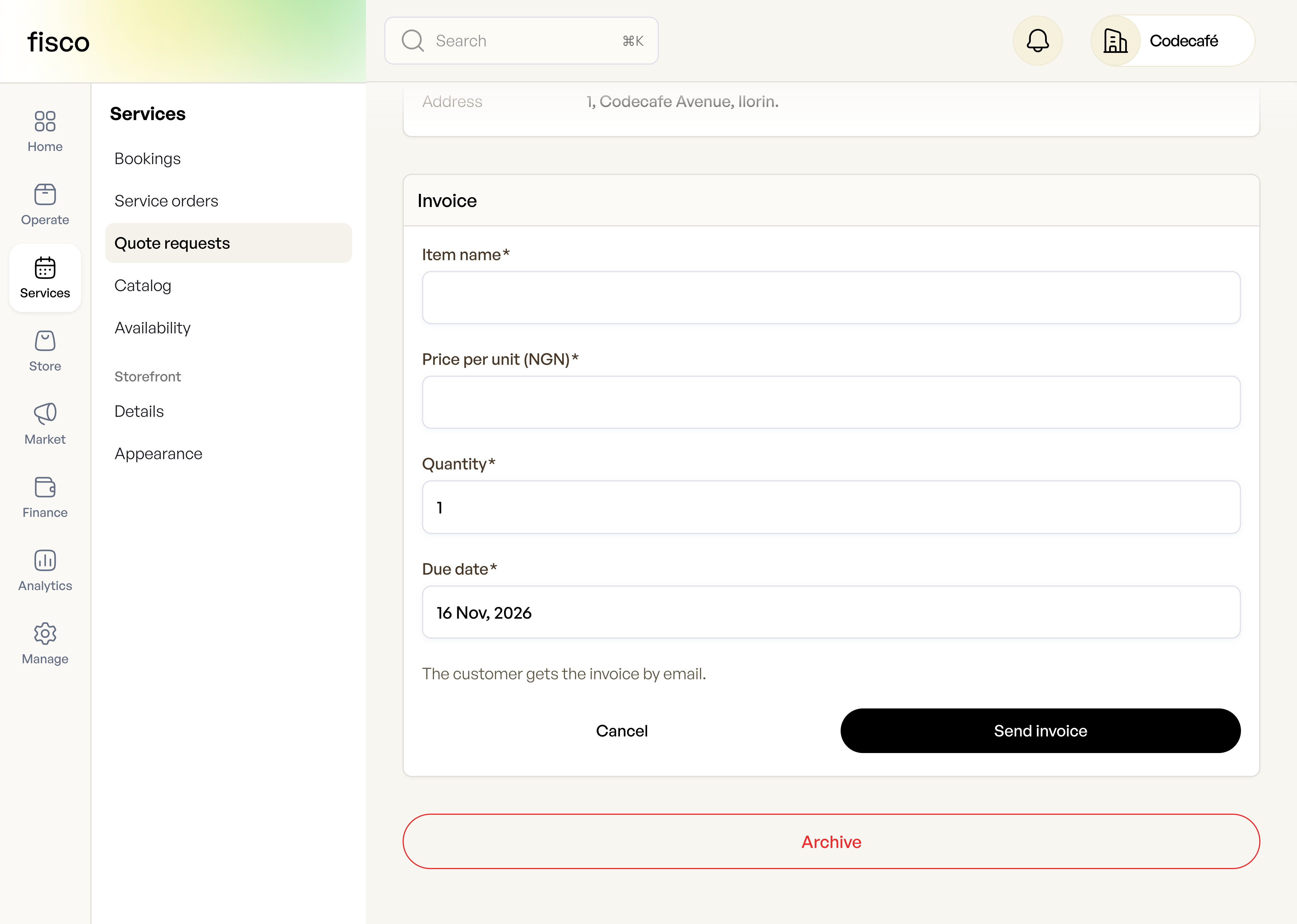
That one step is the point. The quote and the payment are the same thing, so you are not chasing a transfer after the customer says "okay, go ahead."
5. Keep your inbox tidy
Each request carries a status so you can see what needs you. A request moves to In Review once you start working on it, and you can Mark as settled when it is done or Archive it when it goes nowhere.
Why this matters
You stop guessing prices. A listed price that is wrong either loses you money or scares customers off. A quote is always right for the job.
You get paid before you commit. Because the quote goes out as an invoice, the customer pays before you block the date or buy materials. This pairs well with our guide on taking a deposit before you start work.
Your enquiries stop living in DMs. Requests, replies, quotes and payments sit in one place under your business name.
What's coming next
Quote-only services work on the booking side today. In the coming weeks we are extending them to your storefront as well, as we bring our product and service platforms together. That means businesses that sell both goods and services will be able to offer "ask for a price" across the whole storefront, and manage everything from one dashboard.
Try it today
Open Services > Catalog, create a service, and set its pricing to Quote only.
Got feedback on quotes, or a kind of job you would like it to handle? We read everything. Reach out to fisco@thecodecafe.co.
The work behind every sale
One place to keep your business moving.
Fisco brings your storefront, orders, inventory, and customer records together—so the next task always starts with the full picture.
Free to start · Web, iOS, and Android
Continue exploring