Fisco Update: Collections Are Here for Your Storefront
Group your products into collections and make your storefront easier for customers to browse — collections are now live on Fisco storefronts.
We just shipped collections for Fisco storefronts. If you sell more than a handful of products, this one is for you.
Storefronts grow fast. What starts as ten products quickly becomes fifty — dresses, then dresses by style, then dresses by occasion, then the shoes that go with them. The products are all there, but customers have to scroll to find what they want, and the storefront starts to feel cluttered.
Collections fix that by grouping related products together, so customers can browse the way they actually shop.
What are collections?
A collection is a group of products that you choose to show together — by category, season, occasion, or anything else that makes sense for your business.
Some examples of how businesses are using collections:
- A fashion store grouping products into "New Arrivals", "Dresses", and "Summer Collection"
- A beauty brand separating "Skincare" from "Makeup"
- A food business sorting "Breakfast" and "Snacks" so regulars find things faster
The goal is simple: customers stop hunting and start buying.
How to create a collection
Creating a collection takes a minute. Here is how it works in Fisco.
First, open the collections area of your storefront and create a new collection. Give it a name your customers will understand — "New Arrivals" beats "Products 2026" every time.
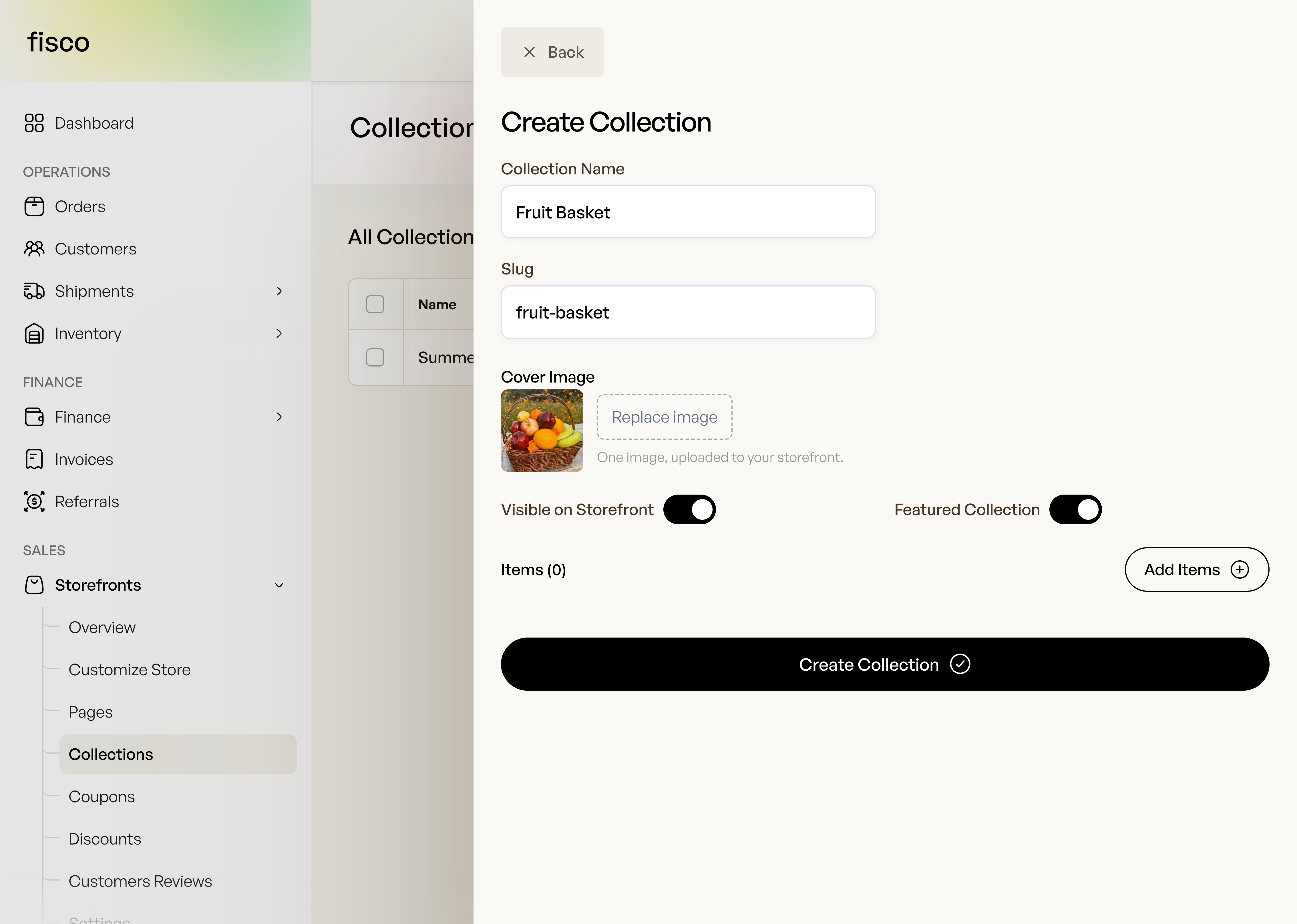
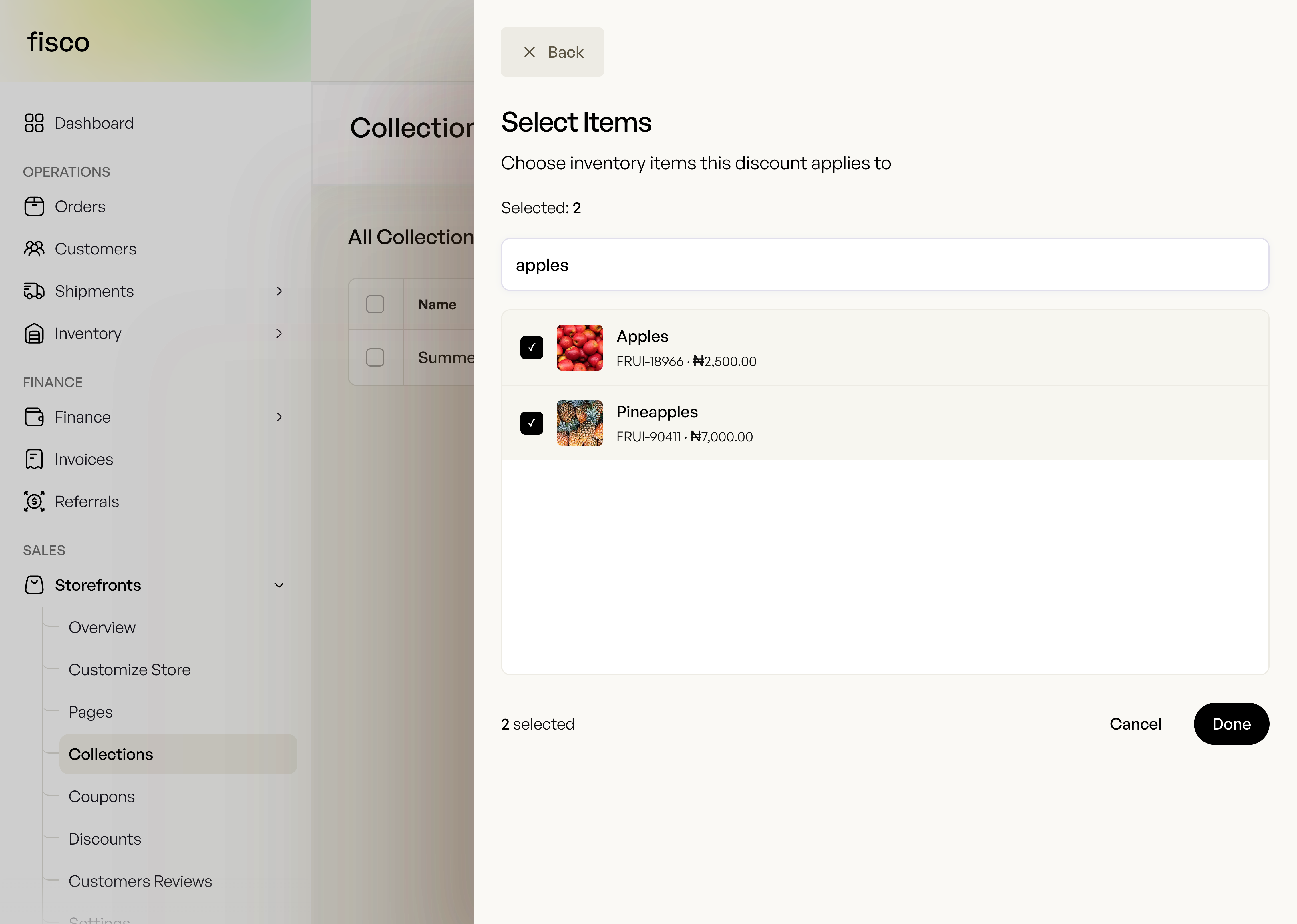
Next, add the products you want in that collection. You can pick from your existing inventory, so there is no need to re-enter product details.
Add a short description if you want — this is a good place to set expectations.
"Lightweight fabrics for the hot season" or "Our bestsellers, back in stock."
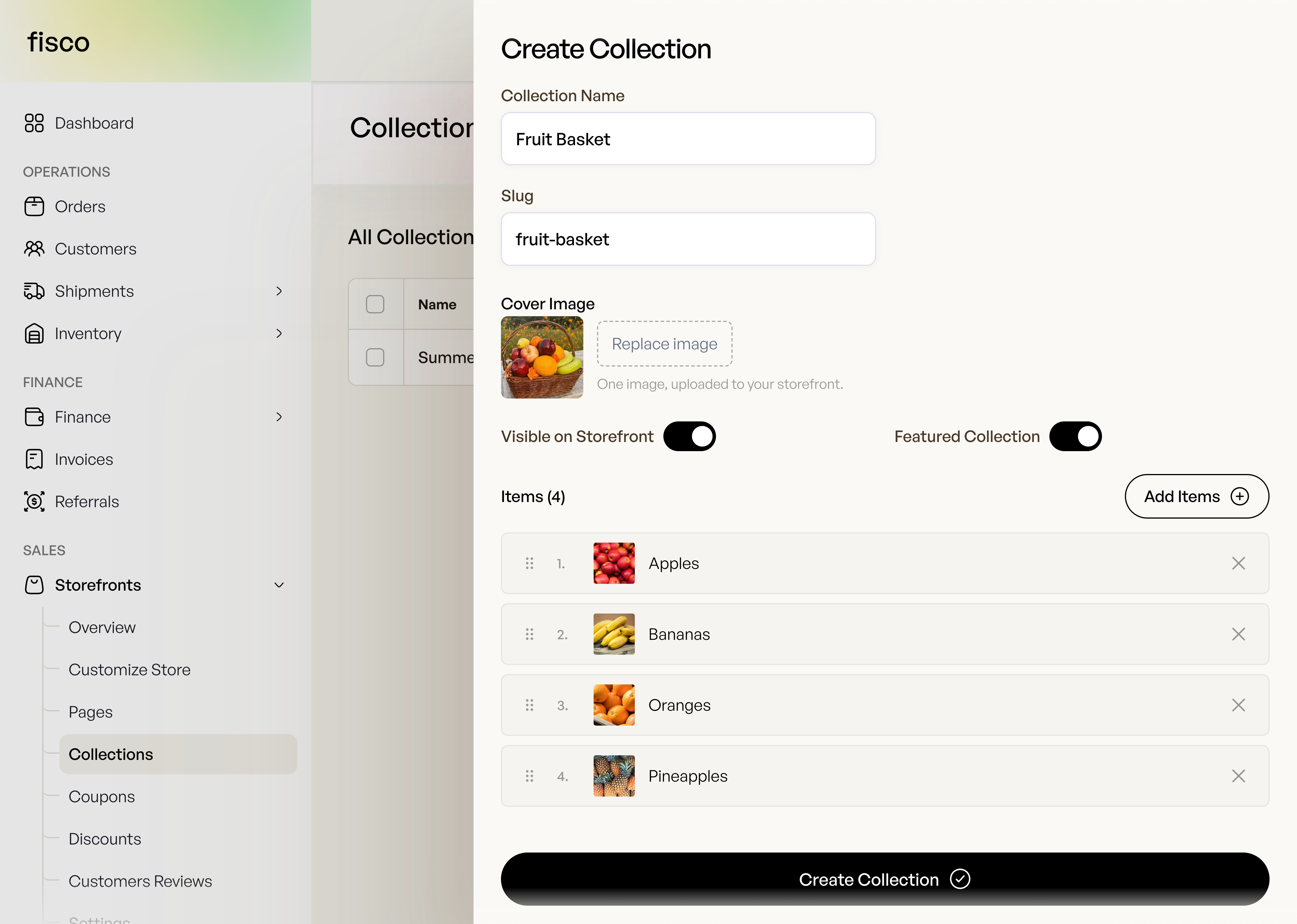
Once a collection is created, you can view and manage it at any time. Adding or removing products later is just as easy as creating it in the first place.
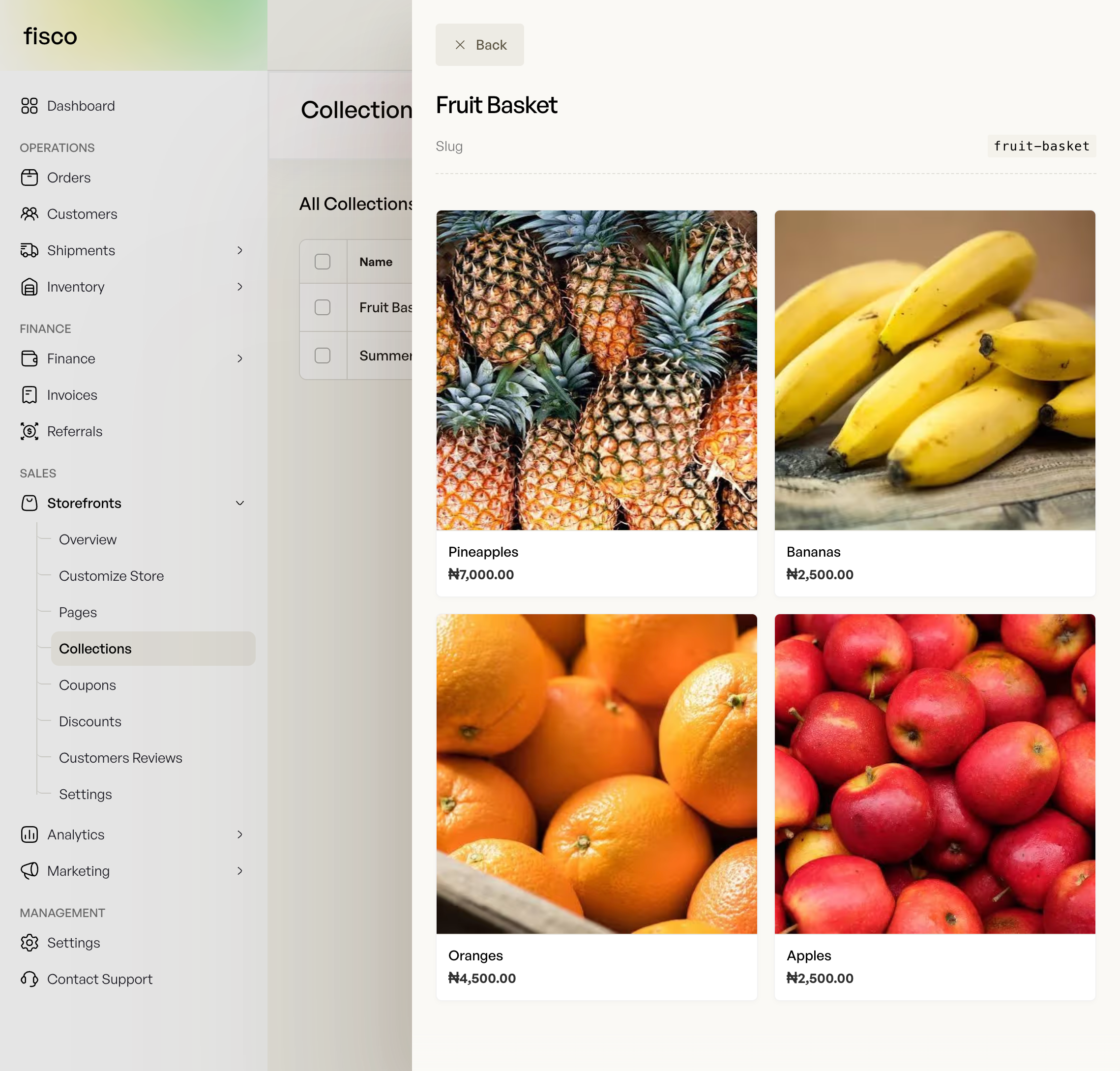
What customers see
On your storefront, collections appear as clean, browsable groups. Customers can open a collection and see every product in it on one page, which makes it easier for them to find what they are looking for.
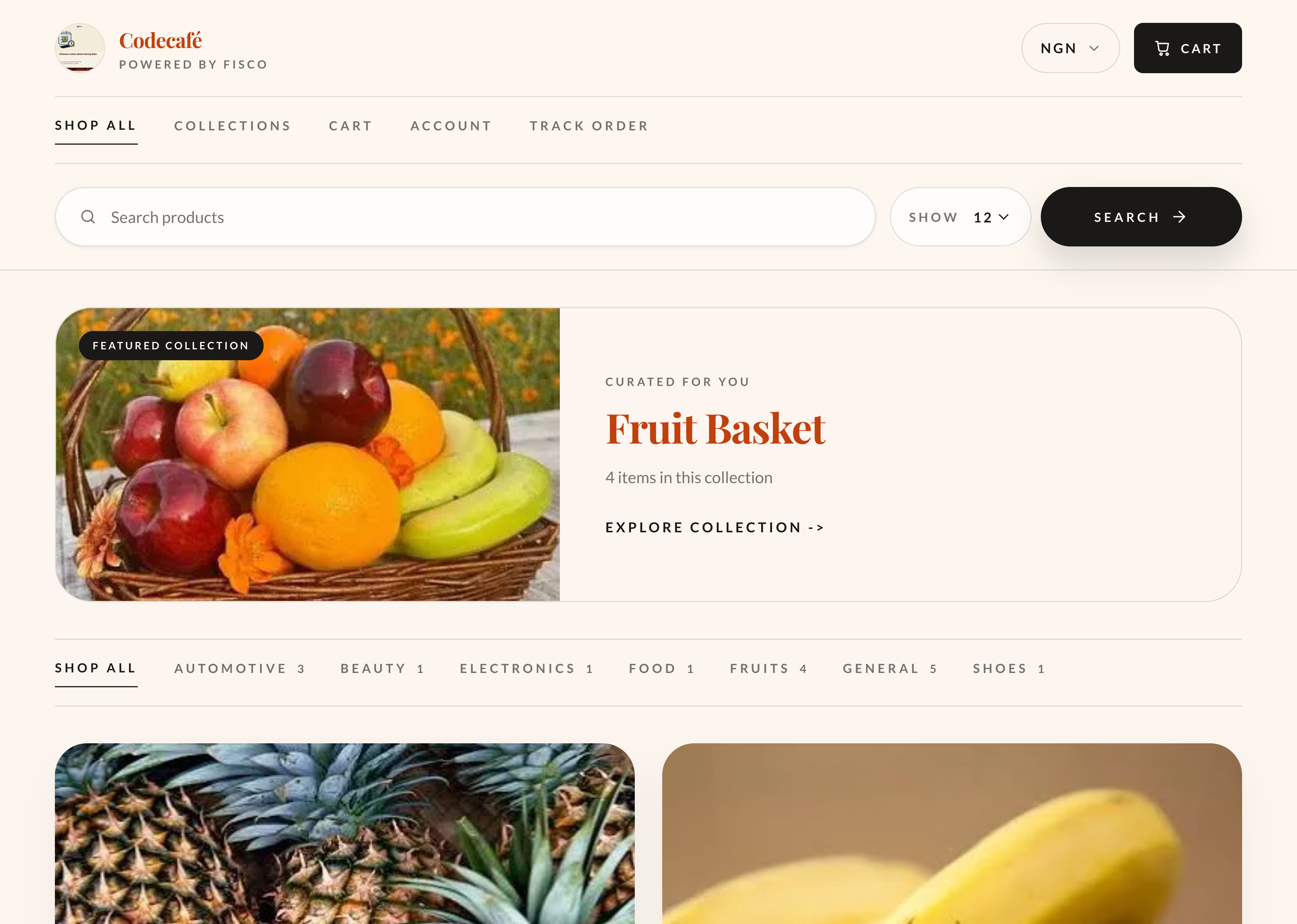
The result is a storefront that feels organised — and an organised storefront sells more, because customers spend less time searching and more time deciding.
What's coming next
Collections are live now, and they are part of a wider push to make storefronts easier for your customers to navigate. We are continuing to improve storefronts with new ways to organise and present your products, so stay tuned for more updates.
If you already use Fisco, open your storefront and create your first collection today. If you have not started yet, now is a great time.
Got feedback or an idea for collections you would like to see? We read everything — reach out to fisco@thecodecafe.co.
The work behind every sale
One place to keep your business moving.
Fisco brings your storefront, orders, inventory, and customer records together—so the next task always starts with the full picture.
Free to start · Web, iOS, and Android
Continue exploring